Choose the topic most relevant to you...
I'd like to check the status of my membership.
“If you hover over “Members” on the upper menu, you’ll see “Membership Account”. Click on that and you’ll be taken to a page with a variety of account-related information.
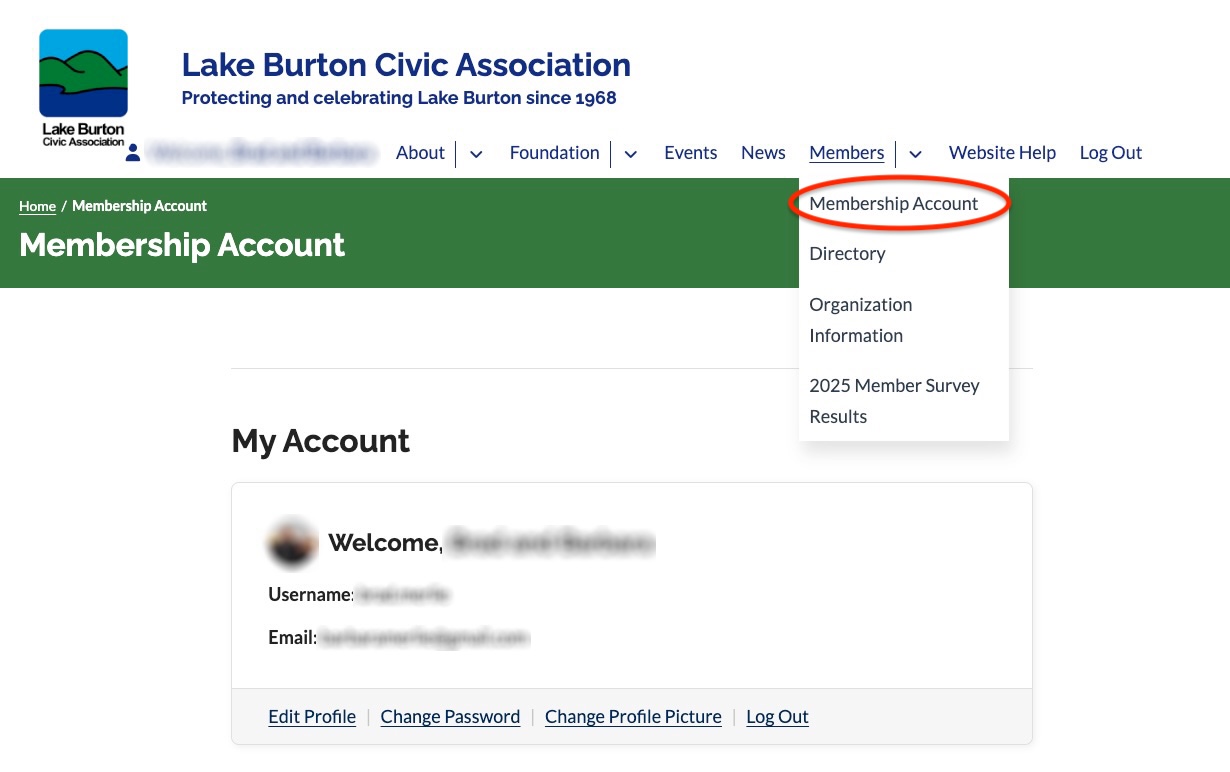
Scroll on down the page to see your User ID and email address, membership status, and recent order history. Also note the links available where you can update your profile, change your profile photo, update your billing information, and more.
I need to update my mailing address, phone number or other membership data due to a recent change.
If you hover over Members on the upper menu, you’ll see “Membership Account”. Click on that and you’ll be taken to page with a variety of account related information.
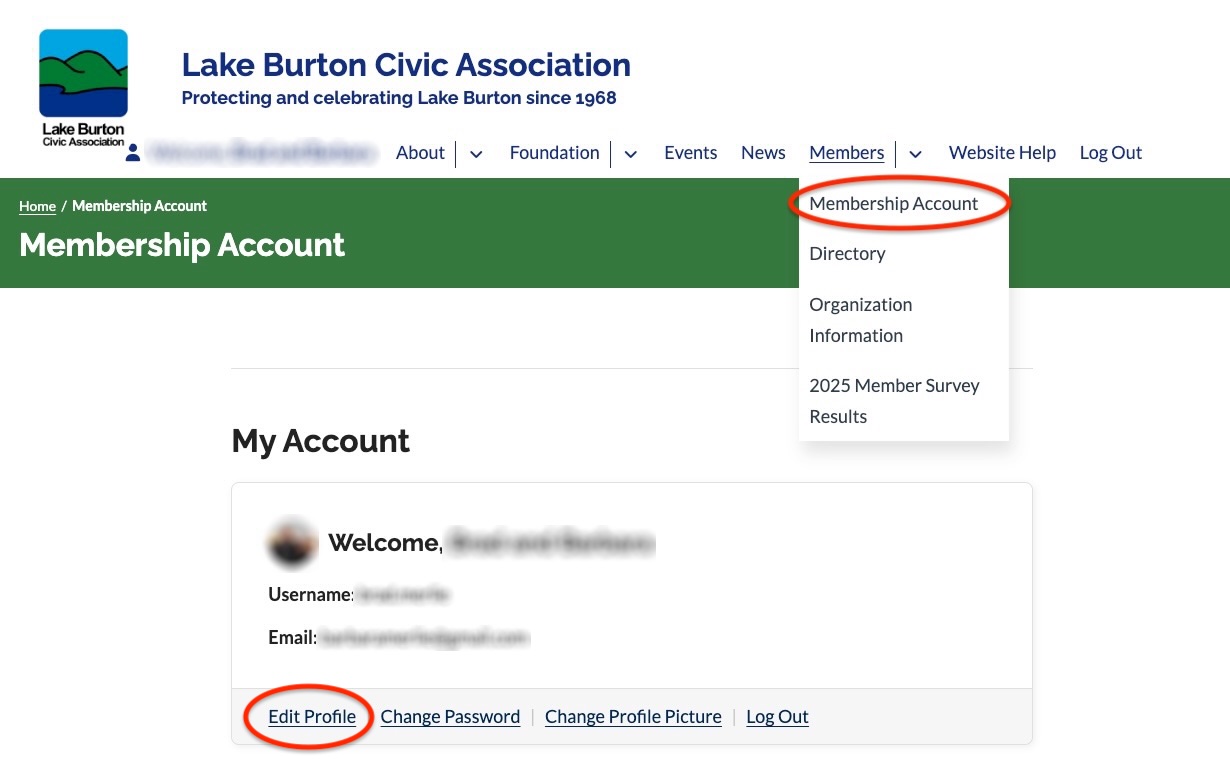
In the first block of information labeled My Account, you’ll see a link to “Edit Profile”. Click on that, and you’ll find a page with all of your information. You can scroll down and edit as needed, but be sure to get to the bottom and click “Update Profile” in order to save your changes.